
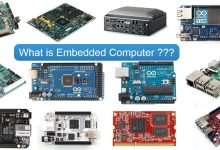
Invisible Intelligence Behind Everyday Devices Embedded computers are specialized computing systems integrated into larger machines or devices to perform dedicated functions. Unlike general-purpose computers such as PCs or laptops, embedded systems are designed to operate autonomously, often in real-time, with minimal user interaction. They are the unseen brains behind countless technologies — from household appliances and automobiles to industrial robots and medical equipment. An embedded computer is not a standalone device. It is “embedded” within a host system, tailored to control, monitor, or assist specific operations. These systems are optimized for reliability, efficiency, and low power consumption, often running on minimal hardware and software. Architecture and Features Embedded computers vary widely depending on their application, but they share several core...
The Backbone of Networked Computing A server is a computer system designed to provide services, resources, or data to other computers — known as clients — over a network. Unlike personal computers, which are optimized for individual use, servers are built to handle multiple simultaneous requests, operate continuously, and manage centralized tasks such as hosting websites, storing files, running applications, and authenticating users. Servers can be physical machines (dedicated hardware) or virtual instances running on shared infrastructure. They range from small office file servers to massive data center systems powering global cloud platforms. Architecture and Features Servers are engineered for reliability, scalability, and performance in multi-user environments. Example: Dell PowerEdge R760 Types of Servers Type Description Web Server Hosts websites and delivers...
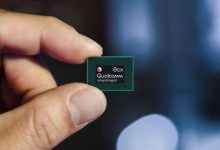
The CPU is often called the “brain of the computer.” It executes instructions from software, processes data, and coordinates tasks across all other components. Core Functions Key Specifications Major Players (2025) Brand Key models ISA Process node Segment Intel Core Ultra 7/9, Core i5/i7/i9 14th Gen; Xeon Scalable (Sapphire Rapids); Xeon 6 x86-64 Intel 7, Intel 4, 10 nm class; 7 nm class; 18A roadmap Desktop, mobile, workstation, server AMD Ryzen 7000/8000/9000; Ryzen AI; Threadripper 7000; EPYC 9004 (Genoa/Bergamo/Siena) x86-64 TSMC N5/N4, N3 (select), 6 nm for IO dies Desktop, mobile, HEDT, server Apple M3, M3 Pro/Max; M4 ARMv9 TSMC N3/N3E Laptops, desktops, tablets Qualcomm Snapdragon X Elite/X Plus; Snapdragon 8 Gen 3/4 ARMv9 TSMC N4/N4P; N3 for latest AI PCs, smartphones...
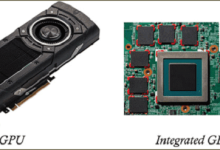
A GPU (Graphics Processing Unit) is a massively parallel processor optimized for high‑throughput, data‑parallel workloads. Originally designed for rasterization and pixel shading, modern GPUs accelerate gaming graphics, real‑time ray tracing, video processing, scientific compute, and neural network training/inference. Core hardware architecture elements Software, ISA and programming models Leading vendors and representative architectures (2023–2025) Process technology, transistors and packaging impact Performance metrics and selection guidance Practical picks by use case: Modern trends and future directions
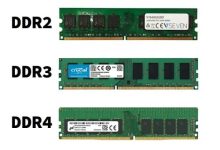
Definition & Role Random Access Memory (RAM) is a volatile memory that temporarily stores data and instructions while a computer is running. It acts as the CPU’s workspace, enabling fast access to information needed for active processes. Unlike permanent storage such as hard drives or SSDs, RAM loses its content when power is turned off. Its size and speed directly affect system performance and multitasking capability. Types & Caching Tiers Memory Type Volatility Typical Use Case Characteristics DRAM (Dynamic RAM) Volatile Main system memory High density, low cost, requires refresh cycles SRAM (Static RAM) Volatile CPU caches (L1/L2/L3) Very fast, no refresh needed, low density, expensive eDRAM (Embedded DRAM) Volatile On-die cache, specialized processors Faster than external DRAM, integrated into...
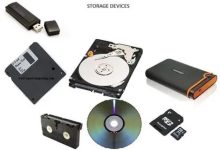
Categories of Storage Primary Storage (Volatile) Secondary Storage (Non-Volatile) Tertiary & Offline Storage Cloud Storage Key Characteristics Feature HDD SSD RAM Cloud Volatility Non-volatile Non-volatile Volatile Non-volatile Speed Slow (100 MB/s) Fast (500 MB/s–7 GB/s) Very fast (10–100 GB/s) Depends on internet Cost per GB Low Medium–High High Subscription-based Durability Mechanical wear No moving parts Not for storage Depends on provider Use Case Mass storage OS, apps, games Active processing Backup, sync, access anywhere Storage Hierarchy (Fastest to Slowest) Storage Capacity Units
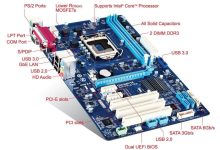
A motherboard is the main printed circuit board (PCB) in a computer. It connects and allows communication between the CPU, RAM, storage, GPU, power supply, and peripheral devices. It also houses the chipset, which controls data flow between components. Key Components on a Motherboard Component Function CPU Socket Holds the processor (e.g., LGA1700 for Intel, AM5 for AMD) RAM Slots (DIMM) Install system memory (DDR3/4/5) Chipset (PCH) Manages communication between CPU, RAM, storage, USB, etc. Power Connectors ATX 24-pin (main), 8-pin (CPU), others for GPU PCIe Slots For GPUs, SSDs, sound/network cards M.2 / SATA Ports For SSDs and HDDs BIOS/UEFI Chip Firmware that initializes hardware and loads the OS VRMs (Voltage Regulator Modules) Regulate power to CPU and memory I/O Ports USB,...
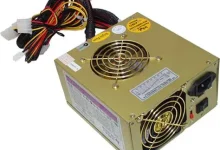
A Power Supply Unit (PSU) converts AC (alternating current) from the wall outlet into regulated DC (direct current) voltages required by computer components. It distributes power to the motherboard, CPU, GPU, drives, fans, and peripherals. The power supply unit (PSU) evolved with early electronic computers in the 1950s, standardized later with IBM PCs. Key Functions PSU Connectors Connector Purpose 24-pin ATX Main motherboard power 8-pin EPS (CPU) Powers CPU VRMs 6/8-pin PCIe Powers discrete GPUs SATA Power SSDs, HDDs, optical drives Molex Legacy devices, fans, accessories 12VHPWR (ATX 3.0) High-power GPUs (e.g., RTX 40 series) PSU Form Factors Type Description ATX Standard for desktops SFX / SFX-L Compact for small form factor builds TFX / Flex ATX Used in slim or embedded...
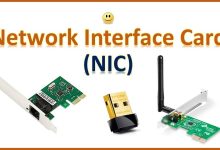
A Network Interface Card (NIC) is a hardware component that enables a computer or device to connect to a network. It provides the physical and logical interface for sending and receiving data over LANs (Local Area Networks), WANs (Wide Area Networks), or the internet. The network interface card (NIC) grew out of Ethernet, invented by Robert Metcalfe at Xerox PARC in 1973. Types of NICs Type Description Use Case Ethernet NIC Wired connection via RJ-45 port; supports 10/100/1000 Mbps or 2.5G/5G/10G+ Desktops, servers, routers Wireless NIC (Wi-Fi) Connects to wireless networks (802.11a/b/g/n/ac/ax/be) Laptops, tablets, mobile devices Fiber NIC Uses SFP/SFP+ or QSFP ports for fiber-optic links Data centers, high-speed servers Virtual NIC Software-defined NICs in virtual machines Cloud computing, virtualization Thunderbolt/USB NIC...
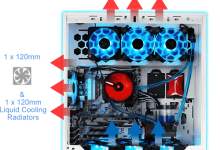
A cooling system in a computer manages heat generated by components like the CPU, GPU, VRMs, and storage. Without proper cooling, these parts can throttle performance, crash, or suffer permanent damage. Types of Cooling Systems Type Description Use Case Air Cooling Uses heatsinks and fans to dissipate heat Most desktops and laptops Liquid Cooling (AIO/Custom Loop) Circulates coolant through a loop to transfer heat to a radiator High-performance PCs, overclocking Passive Cooling No fans; relies on heat sinks and airflow Silent systems, embedded devices Vapor Chamber Flat heat spreader using phase-change cooling High-end GPUs, gaming laptops Thermoelectric (Peltier) Uses electric current to move heat Experimental or niche cooling Immersion Cooling Hardware submerged in non-conductive fluid Data centers, extreme HPC setups Key Components in...
What Is BIOS? BIOS stands for Basic Input/Output System. It’s low-level firmware stored on a chip on the motherboard that initializes hardware during the boot process and hands control over to the operating system.The BIOS concept was introduced by Gary Kildall in 1975 as part of his CP/M operating system. Key Functions of BIOS Function Description POST (Power-On Self Test) Checks CPU, RAM, GPU, and storage for basic functionality Boot Loader Locates and launches the OS from a bootable device Hardware Initialization Sets up memory, CPU, chipset, and peripherals CMOS Settings Stores user-configurable settings like boot order, fan curves, and voltages BIOS Setup Utility User interface to configure system settings (accessed via key like F2/DEL) BIOS Settings You Can Configure BIOS Updates...
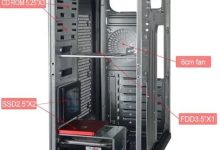
A computer case (also called a chassis) is the structural frame that holds the motherboard, power supply, storage drives, cooling systems, and expansion cards. It provides physical protection, airflow management, and mounting points for all components. The computer case or chassis became standardized in the 1970s–1980s, with the ATX form factor introduced in 1995. Common Case Form Factors Form Factor Description Fits Motherboard Types Full Tower Large, spacious, supports multiple GPUs, radiators, and drives E-ATX, ATX, mATX Mid Tower Most common size; good balance of space and airflow ATX, mATX, Mini-ITX Mini Tower Compact, limited expansion, budget builds mATX, Mini-ITX Small Form Factor (SFF) Ultra-compact, portable, space-saving Mini-ITX Open Frame / Test Bench Exposed layout for easy access and cooling Any (custom fit)...
 seseltan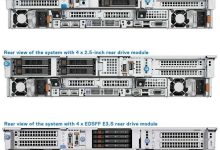



Latest Comments
666