What Is BIOS?
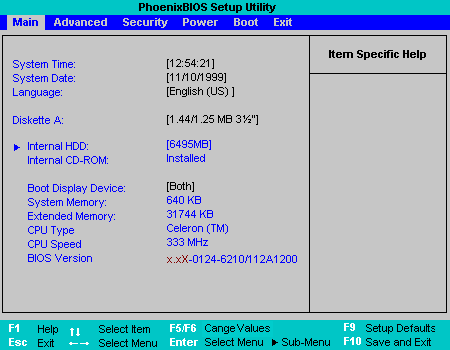
BIOS stands for Basic Input/Output System. It’s low-level firmware stored on a chip on the motherboard that initializes hardware during the boot process and hands control over to the operating system.The BIOS concept was introduced by Gary Kildall in 1975 as part of his CP/M operating system.
Key Functions of BIOS
| Function | Description |
| POST (Power-On Self Test) | Checks CPU, RAM, GPU, and storage for basic functionality |
| Boot Loader | Locates and launches the OS from a bootable device |
| Hardware Initialization | Sets up memory, CPU, chipset, and peripherals |
| CMOS Settings | Stores user-configurable settings like boot order, fan curves, and voltages |
| BIOS Setup Utility | User interface to configure system settings (accessed via key like F2/DEL) |
BIOS Settings You Can Configure
- Boot order (e.g., SSD → USB → Network)
- XMP/EXPO profiles for RAM tuning
- Fan curves and thermal thresholds
- CPU features (Hyper-Threading, virtualization)
- Voltage and frequency settings (for overclocking)
- Secure Boot and TPM (for OS security)
- BIOS passwords (for access control)
BIOS Updates
- Delivered by motherboard vendors to fix bugs, improve compatibility, or support new CPUs
- Can be updated via:
- BIOS Flash Utility
- USB BIOS Flashback
- Windows-based tools (less recommended)
What Is UEFI?
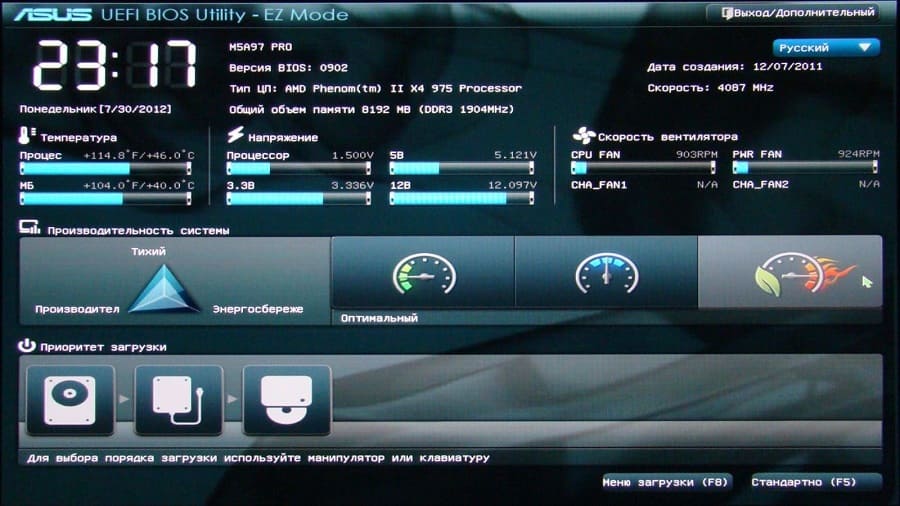
UEFI stands for Unified Extensible Firmware Interface. It’s a modern firmware interface between a computer’s hardware and its operating system. It initializes hardware during boot and launches the OS loader — just like BIOS — but with more advanced features, better security, and a graphical interface. UEFI was developed by Intel in the early 2000s and later standardized by the UEFI Forum.
Key Features of UEFI
- Secure Boot: Verifies OS bootloader signatures to prevent malware/rootkits
- Fast Boot: Skips unnecessary checks for quicker startup
- Graphical Setup Utility: Mouse-enabled interface with advanced options
- UEFI Shell: Command-line environment for diagnostics and scripting
- Network Boot (PXE): Boot from network devices
- Boot Manager: Supports multiple OS entries and boot priorities
UEFI and Storage
- Uses GPT partitioning, which supports:
- Up to 128 partitions
- Drives larger than 2 TB
- Redundant partition tables for recovery
- Required for Windows 11 and modern Linux distributions on new hardware
UEFI and Security
- Secure Boot: Blocks unsigned or tampered bootloaders
- TPM Integration: Works with Trusted Platform Module for encryption (e.g., BitLocker)
- Firmware Updates: Can be delivered via OS (e.g., Windows Update, LVFS on Linux)
Most modern systems use UEFI, but the term “BIOS” is still commonly used to refer to the firmware setup.
BIOS vs UEFI
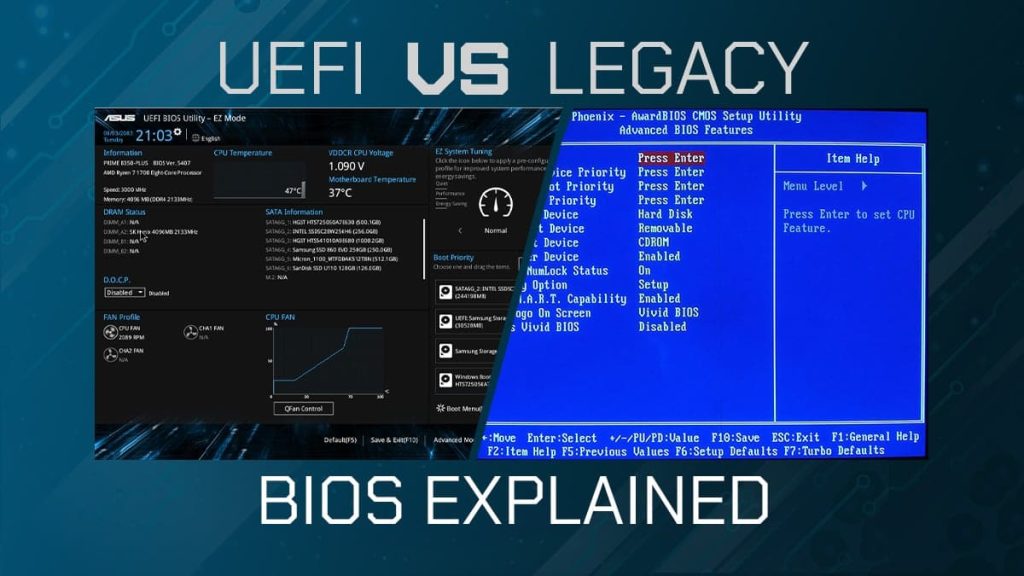
| Feature | UEFI | Legacy BIOS |
| Boot Mode | GPT (GUID Partition Table) | MBR (Master Boot Record) |
| Drive Support | >2 TB drives supported | Limited to ≤2 TB |
| Interface | Graphical, mouse support | Text-only, keyboard only |
| Boot Speed | Faster (parallel initialization) | Slower (sequential) |
| Security | Secure Boot, TPM, cryptographic checks | Minimal security |
| Extensibility | Modular, supports drivers/apps | Fixed, limited features |
| Compatibility | Supports both UEFI and Legacy boot (CSM) | Legacy only |
Major BIOS and UEFI Vendors
| Vendor | Description | Common Use |
| AMI (American Megatrends Inc.) | One of the largest BIOS/UEFI providers; known for AMIBIOS and Aptio firmware | Widely used in desktops, servers, laptops |
| Phoenix Technologies | Pioneer in BIOS development; offers SecureCore UEFI firmware | Found in many laptops and embedded systems |
| Insyde Software | Specializes in UEFI firmware for mobile and embedded platforms | Common in laptops (e.g., Acer, Lenovo) |
| Intel | Develops UEFI firmware for its own platforms and reference designs | Used in Intel NUCs, servers, and dev boards |
| Apple | Uses its own UEFI implementation for Macs (based on TianoCore) | Exclusive to Apple hardware |
| Microsoft | Not a BIOS vendor, but defines UEFI requirements for Windows compatibility | Works with OEMs to enforce Secure Boot, TPM |
| Lenovo, Dell, HP | Often customize firmware from AMI, Phoenix, or Insyde | Branded UEFI interfaces on consumer laptops |
BIOS/UEFI in Practice
- Motherboard brands (ASUS, MSI, Gigabyte, ASRock) often license firmware from AMI or Phoenix and customize it.
- Laptop brands (HP, Dell, Lenovo, Acer) typically use Insyde or Phoenix firmware, tailored to their hardware.
- UEFI Forum Members include AMD, Intel, ARM, Apple, Microsoft, and many firmware vendors


Must log in before commenting!
Sign In Sign Up