Beijing, November 25, 2025 — Huawei today officially unveiled its highly anticipated Mate80 series, introducing four flagship models: Mate80, Mate80 Pro, Mate80 Pro Max, and Mate80 RS Ultimate Design. Alongside the smartphones, Huawei also announced the Mate X7 foldable phone, MatePad Edge hybrid tablet, and new wearables and routers, expanding its all-scenario ecosystem. Mate80 Series Highlights Model Starting Price Processor RAM & Storage Display Battery Cameras Mate80 4,699 RMB Kirin 9020 12GB + 256GB / 512GB, 16GB + 512GB 6.75″ LTPO OLED, 120Hz, 1280×2832 px, peak brightness 8,000 nits 5,750 mAh Triple rear (50MP main + 12MP telephoto + 40MP ultra-wide), 13MP front Mate80 Pro 5,999 RMB Kirin 9030 12GB + 256GB / 512GB, 16GB + 512GB, up to 1TB...
Consolidating CLeadership At the Mate 80 series launch event, another major highlight was Huawei’s new generation foldable smartphone, the Mate X7. Since introducing its first outward‑folding phone in 2019, Huawei has released 12 foldable products, covering inward folds, outward folds, horizontal folds, and even triple‑fold designs. At the event, Richard Yu stated that Huawei’s foldable phones hold over 68% market share in China, making it the “absolute number one brand in foldable smartphones.” Design and Display Imaging System Pricing and Availability Model Huawei Mate X7 Processor Kirin 9030 Pro Operating System HarmonyOS 6.0 Memory & Storage 12GB + 256GB / 512GB; 16GB + 512GB / 1TB (Collector’s Edition); 20GB + 1TB (Collector’s Edition with stylus set) Inner Screen 8‑inch OLED, 2416×2210 resolution,...
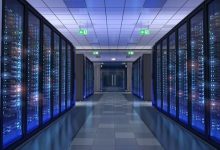
Engines of Extreme Computation A supercomputer is a high performance computing system designed to execute complex calculations at speeds far beyond those of conventional computers. Measured in floating point operations per second (FLOPS), supercomputers today operate in the petaflop (10^15) and exaflop (10^18) ranges, enabling breakthroughs in science, engineering, and artificial intelligence. They represent the pinnacle of computational technology, combining massive parallelism, specialized architectures, and advanced cooling systems. Historical Development Architecture and Design Applications Supercomputers are deployed in diverse fields where extreme computational power is required: Global Rankings Supercomputers are ranked on the TOP500 list, updated twice annually, based on the LINPACK benchmark. The Green500 list highlights energy efficiency. Notable systems include: Future Trends Real-World Example Parameter Details Location National Supercomputer Center, Guangzhou, China...
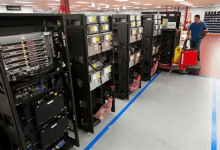
Backbone of Enterprise Data Processing Mainframe computers are large-scale computing systems designed to process vast volumes of data and support hundreds or thousands of users simultaneously. Known for their reliability, scalability, and security, mainframes have been the backbone of enterprise computing for decades. They are widely used in industries where data integrity, uptime, and transaction throughput are critical — such as banking, government, healthcare, and aviation. Historical Background Architecture and Features Mainframes differ significantly from personal computers and servers in both design and function. Real-World Example: IBM z16 Mainframe Let’s take a concrete example to illustrate what a modern mainframe looks like. Applications Mainframes are indispensable in sectors where data volume, security, and uptime are non-negotiable.
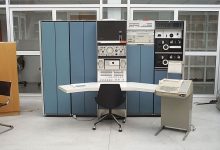
The Midrange Workhorses of Early Computing Minicomputers, also known as midrange computers, were a class of computing systems that emerged in the 1960s to fill the gap between large-scale mainframes and smaller personal computers. Though largely obsolete today, minicomputers played a pivotal role in democratizing computing power for laboratories, small businesses, and industrial control systems. They offered multi-user capabilities, moderate performance, and affordability — making them a popular choice for organizations that couldn’t justify the cost or complexity of a mainframe. Historical Background Architecture and Features Minicomputers were designed to be more compact and affordable than mainframes, while still supporting multiple users and moderate workloads. Real-World Example: DEC VAX-11/780 To understand a minicomputer in practice, let’s look at the VAX-11/780, one of...
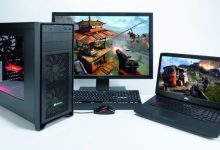
Personal Computers (PCs): Everyday Computing for Everyone Personal computers (PCs) are computing devices designed for individual use. Unlike supercomputers, mainframes, or minicomputers — which serve multiple users or organizations — PCs are built to perform general-purpose tasks for a single user at a time. They are the most widespread type of computer today, powering homes, offices, schools, and creative studios around the world. Historical Background Architecture and Components Modern PCs are built around modular hardware and flexible software environments. Types of Personal Computers Type Description Desktop PC Stationary system with separate monitor and peripherals; customizable and powerful. Laptop Portable computer with integrated screen and keyboard; balances mobility and performance. All-in-One Combines monitor and computer into a single unit; saves space. Mini...
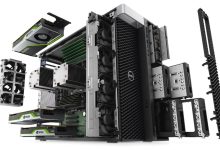
High-Performance Computing for Professionals A workstation is a high-performance personal computer designed for technical, scientific, and professional applications that demand greater computing power, reliability, and graphics capability than standard desktop PCs. Workstations are widely used in fields such as engineering, architecture, animation, data science, and software development — where precision, speed, and stability are essential. Historical Background Architecture and Features Workstations are built for demanding workloads and long-term reliability. Key features include: Real-World Example: HP Z8 G5 Workstation Let’s examine a modern workstation to understand its capabilities. Applications Workstations are essential tools in industries where precision and performance are non-negotiable. Comparison with Other Systems Feature Workstations Personal Computers (PCs) Servers / Mainframes Performance High (multi-core, GPU-accelerated) Moderate Very high (multi-user,...
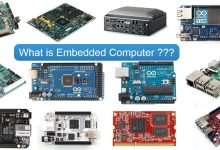
Invisible Intelligence Behind Everyday Devices Embedded computers are specialized computing systems integrated into larger machines or devices to perform dedicated functions. Unlike general-purpose computers such as PCs or laptops, embedded systems are designed to operate autonomously, often in real-time, with minimal user interaction. They are the unseen brains behind countless technologies — from household appliances and automobiles to industrial robots and medical equipment. An embedded computer is not a standalone device. It is “embedded” within a host system, tailored to control, monitor, or assist specific operations. These systems are optimized for reliability, efficiency, and low power consumption, often running on minimal hardware and software. Architecture and Features Embedded computers vary widely depending on their application, but they share several core...
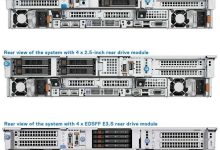
The Backbone of Networked Computing A server is a computer system designed to provide services, resources, or data to other computers — known as clients — over a network. Unlike personal computers, which are optimized for individual use, servers are built to handle multiple simultaneous requests, operate continuously, and manage centralized tasks such as hosting websites, storing files, running applications, and authenticating users. Servers can be physical machines (dedicated hardware) or virtual instances running on shared infrastructure. They range from small office file servers to massive data center systems powering global cloud platforms. Architecture and Features Servers are engineered for reliability, scalability, and performance in multi-user environments. Example: Dell PowerEdge R760 Types of Servers Type Description Web Server Hosts websites and delivers...
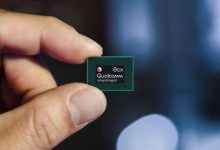
The CPU is often called the “brain of the computer.” It executes instructions from software, processes data, and coordinates tasks across all other components. Core Functions Key Specifications Major Players (2025) Brand Key models ISA Process node Segment Intel Core Ultra 7/9, Core i5/i7/i9 14th Gen; Xeon Scalable (Sapphire Rapids); Xeon 6 x86-64 Intel 7, Intel 4, 10 nm class; 7 nm class; 18A roadmap Desktop, mobile, workstation, server AMD Ryzen 7000/8000/9000; Ryzen AI; Threadripper 7000; EPYC 9004 (Genoa/Bergamo/Siena) x86-64 TSMC N5/N4, N3 (select), 6 nm for IO dies Desktop, mobile, HEDT, server Apple M3, M3 Pro/Max; M4 ARMv9 TSMC N3/N3E Laptops, desktops, tablets Qualcomm Snapdragon X Elite/X Plus; Snapdragon 8 Gen 3/4 ARMv9 TSMC N4/N4P; N3 for latest AI PCs, smartphones...
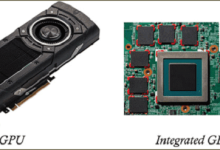
A GPU (Graphics Processing Unit) is a massively parallel processor optimized for high‑throughput, data‑parallel workloads. Originally designed for rasterization and pixel shading, modern GPUs accelerate gaming graphics, real‑time ray tracing, video processing, scientific compute, and neural network training/inference. Core hardware architecture elements Software, ISA and programming models Leading vendors and representative architectures (2023–2025) Process technology, transistors and packaging impact Performance metrics and selection guidance Practical picks by use case: Modern trends and future directions
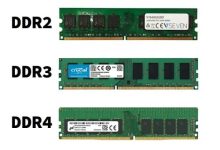
Definition & Role Random Access Memory (RAM) is a volatile memory that temporarily stores data and instructions while a computer is running. It acts as the CPU’s workspace, enabling fast access to information needed for active processes. Unlike permanent storage such as hard drives or SSDs, RAM loses its content when power is turned off. Its size and speed directly affect system performance and multitasking capability. Types & Caching Tiers Memory Type Volatility Typical Use Case Characteristics DRAM (Dynamic RAM) Volatile Main system memory High density, low cost, requires refresh cycles SRAM (Static RAM) Volatile CPU caches (L1/L2/L3) Very fast, no refresh needed, low density, expensive eDRAM (Embedded DRAM) Volatile On-die cache, specialized processors Faster than external DRAM, integrated into...

 seseltan